01
Scan, order, pay. No app.

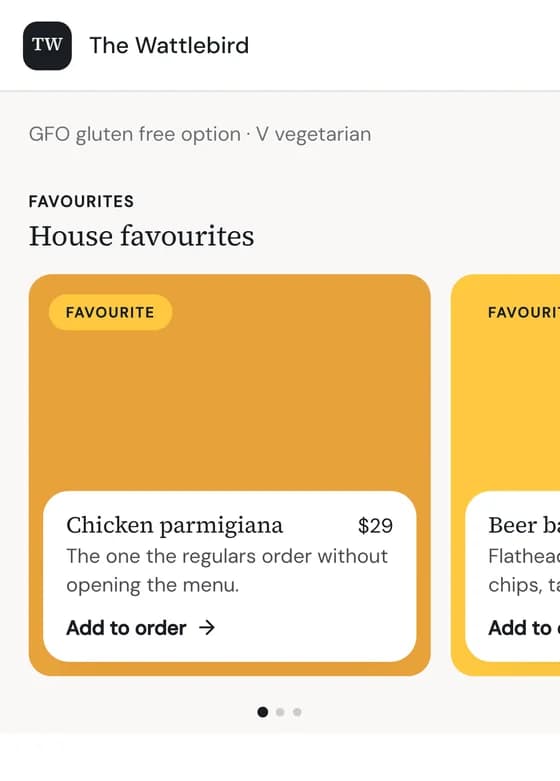
Every table gets its own QR code. Guests scan it with their camera, see your menu in your venue's look, and pay in a few taps. After paying they can keep the page open to follow their order.
Checkin Ordering runs QR table ordering and online pickup from the same menu, so a price changed once changes everywhere. Guests pay with Apple Pay or Google Pay in their browser, and the money goes straight to the venue.
Six things that happen between the scan at the table and the money landing in your venue's own account.
Every table gets its own QR code. Guests scan it with their camera, see your menu in your venue's look, and pay in a few taps. After paying they can keep the page open to follow their order.
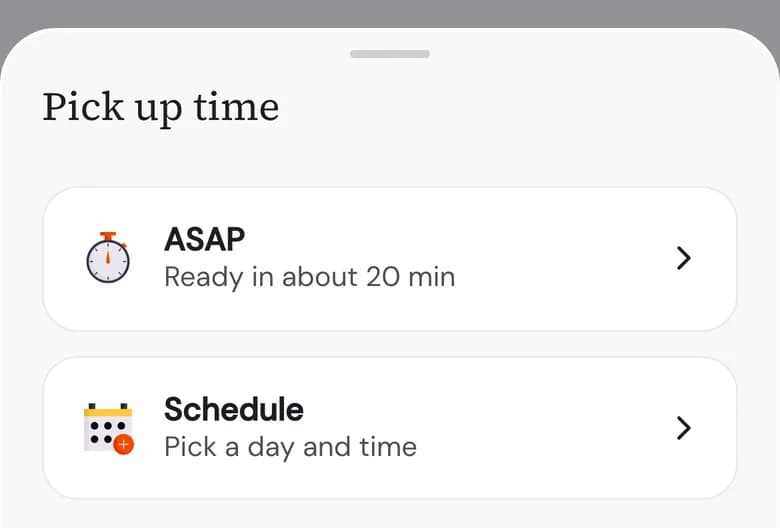
The same menu takes pickup orders from your venue page, only within your opening hours. Regulars order from you directly instead of through a delivery app.
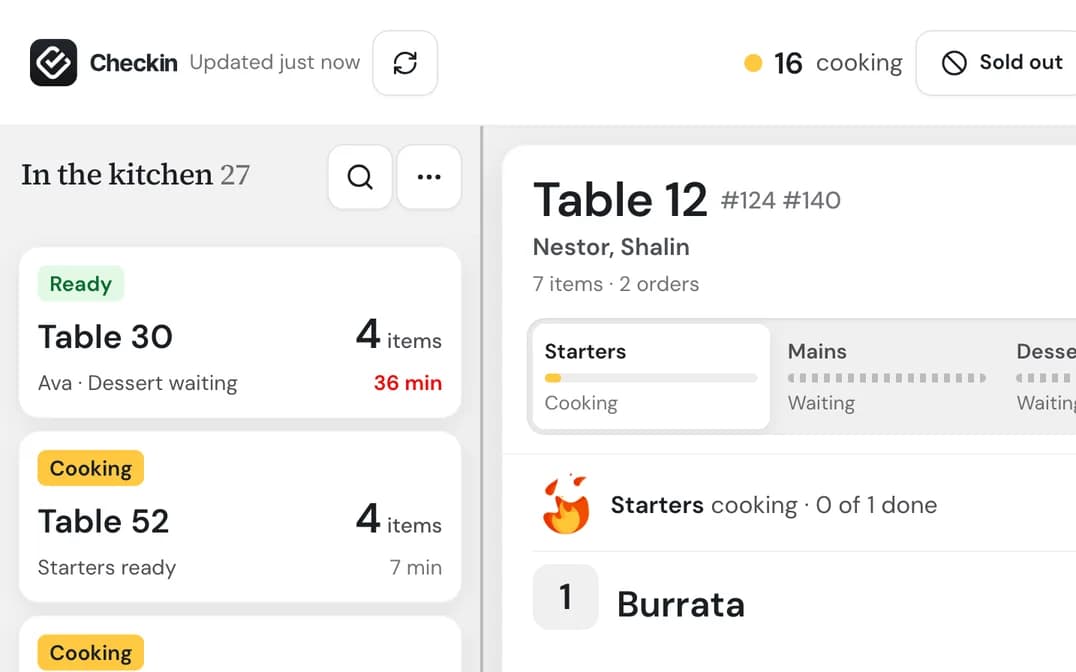
Table and pickup orders land on one live board in your dashboard and move from queue to ready to collected. Switch table or online ordering off for a while when the kitchen is slammed, and back on when it isn't.
We print a code for every table and send them to you, ready for service. Each code knows its table, so orders arrive already labelled with where they're going. Your dashboard shows which tables guests can order from.
Every payment lands in your venue's own account, one order per payment. Checkin never holds your money, and refunds happen from the dashboard.
A daily overview shows revenue, GST, refunds, average order, your best and worst sellers, and how the week is trending.
One order, start to finish, as your guest and your team see it.
Each table has its own code, so the order knows where it is going.
Apple Pay, Google Pay or a card, in the browser. Nothing to download.
The order lands on the live board in your dashboard and moves from queue to ready.
After paying, the guest can keep the page open to follow their order.
A short walkthrough built around your venue, with your menu and your kitchen in mind.
Orders and payments go to your venue's own account. We connect it with you once, from the dashboard.
Generate a code for every table from the dashboard, then switch ordering on when you are ready.
Pricing depends on which Checkin Places products you switch on, and there’s never a sign-up fee. Ordering can run on its own or alongside bookings and your venue website. We’ll take you through it in a demo, using your own menu, so you can see exactly what your venue would pay.
No. Guests scan the code on their table, or open your venue page, and order in their phone’s browser. They pay with Apple Pay, Google Pay or a card. There’s no account to create and nothing to install, which is why most guests finish an order in under a minute.
Straight to your venue. Every payment lands in your own payment account, connected when you set up, and Checkin never holds your money or pays you out later. Refunds happen from your dashboard, and every order and payment is recorded so your end-of-day figures match.
Every order appears on the live board in your dashboard the moment it’s placed. Whether it also prints depends on your printer model, because some older kitchen printers can’t receive orders over wifi. We check your printers with you before ordering goes live, so there are no surprises on the first night.
Yes. Switch table ordering or online pickup off from the dashboard whenever you need a breather, and back on when you’ve caught up. Pickup orders are only taken during your opening hours, so nobody can order a pizza at 3pm on a Monday when you’re closed.
Not today. Checkin Ordering covers ordering at the table and online orders for pickup. Many venues keep their delivery apps for new customers and move regulars to their own pickup page, where you keep the relationship and the guest orders from you directly.
Open a live venue page to see the guest side, or book a demo and we'll show you the board your team will use.